Private transfers are now enabled in beta. After the testing and mainnet pilot covered in our recent updates, we have brought the new token experience into the website wallet: Open and Private balances, token artwork, and the controls to move between them.
The goal is practical: make XMR20 tokens easier to hold, send and use on native Monero, with privacy available when you choose it. The website now shares the extension’s token engine, bringing that work into the same place where people explore the project and manage their tokens.
Alongside the wallet, we have continued updating the website’s appearance and navigation. Docs and Community Updates now share the look of the homepage and launchpad, while clearer token screens and saved wallet progress make everyday use more straightforward.
Choose how you send: Open or Private
27–28 October
The private-transfer beta is now available through the new wallet experience. Tokens can be held in an Open balance or moved into a Private balance. Make private moves tokens into the private balance; Make open brings them back into the open balance. The sending flow lets you choose the appropriate transfer type and receiving address.
Within the private pool, transfers conceal the token amount and recipient. Moving tokens into or out of that pool is a separate, public operation. This gives the wallet a clear distinction between ordinary Open transfers and transfers between Private balances.
Private receiving addresses now use the XMR20-branded xmr20p1… format. The wallet continues to accept the previous private-address format, so existing receiving addresses remain usable.
A private send currently uses two Monero transactions and pays two network fees in XMR. When the wallet needs to prepare the spendable XMR coins for that, it offers Enable private transfers. That flow reviews a transfer back to your own wallet to prepare those coins; confirmations and normal network fees still apply. The feature remains in beta as we continue testing and refining the experience.
What we checked
The mainnet beta and its website integration are recorded in the latest release evidence. Checks cover the private-address display, Open/Private receiving views, transfer controls and the fee-preparation interface. The recorded funded wallet work also includes a completed Make private operation, which moves tokens into a Private balance; this is distinct from sending to another recipient.
A new wallet, built around your tokens
28 October
The new wallet is live across the website. Its compact dark panel brings together Solana and Monero views, token artwork and clearer token balances. A refreshed connection screen offers Phantom, Solflare and XMR20 Wallet options, with the same visual style as the rest of the site.
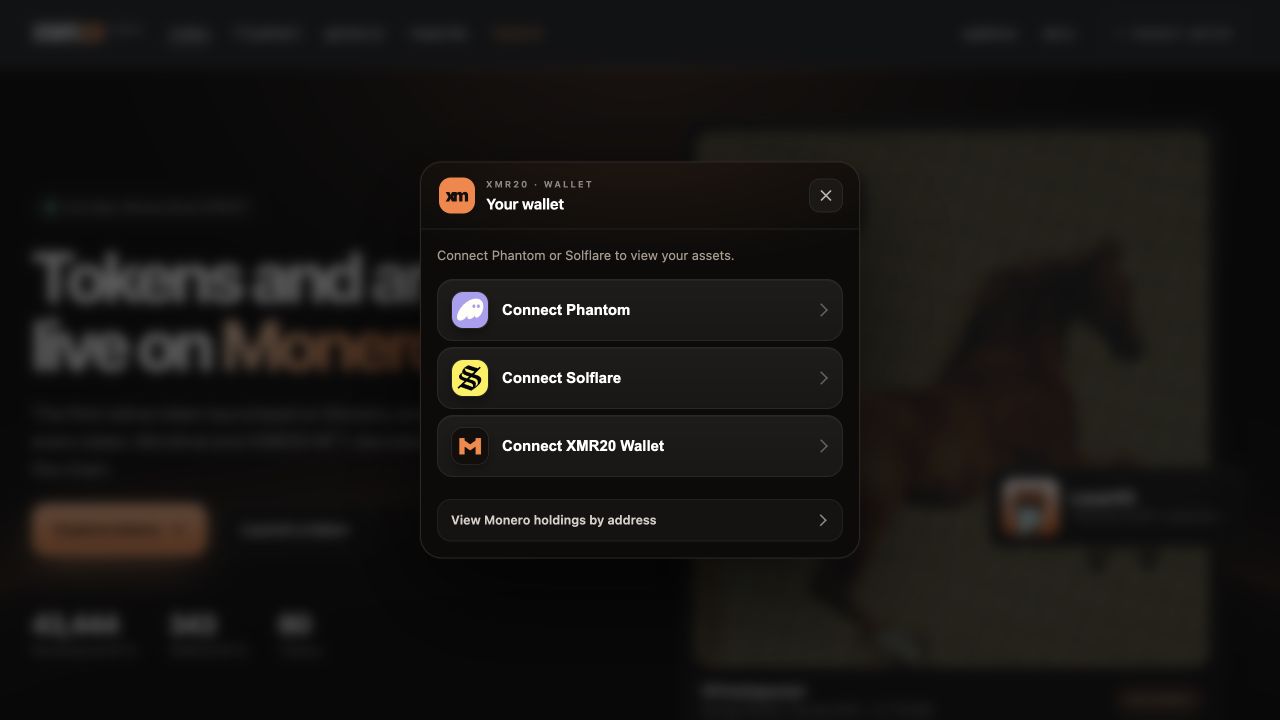
Captured from the live website on 28 October. No wallet is connected and no account or balance information is shown.
Inside the token experience, Open and Private balances sit alongside the actions you need: Send, Bridge, Make private and Make open. The Monero token detail screen focuses on the balance on Monero, while the network tabs make it clear which part of the wallet you are viewing.
The website uses the same token engine as the extension. Solana approvals for the website bridge flow are handled through the connected wallet, and Monero token activity stays within the integrated panel. The address shown in the header follows the selected network, with a visible copy control.
This brings the work on token functionality and wallet design together: a more consistent route from connecting a wallet to viewing a token, bridging it and choosing how to send it.
What we checked
The latest website wallet release passed 71 production-file comparisons, together with the token-engine loading and website-access checks. Test-account checks verified token artwork, the four token actions, Open/Private receiving views and the bridge form. These checks establish the deployed interface and integration; individual transaction checks retain their own testing scope.
One consistent look across XMR20
27–28 October
The website now feels more connected from page to page. Docs and Community Updates share the homepage and launchpad’s dark background, warm orange accents, typography and glass-style panels. The redesign carries through to the new wallet connection screen and token interface.
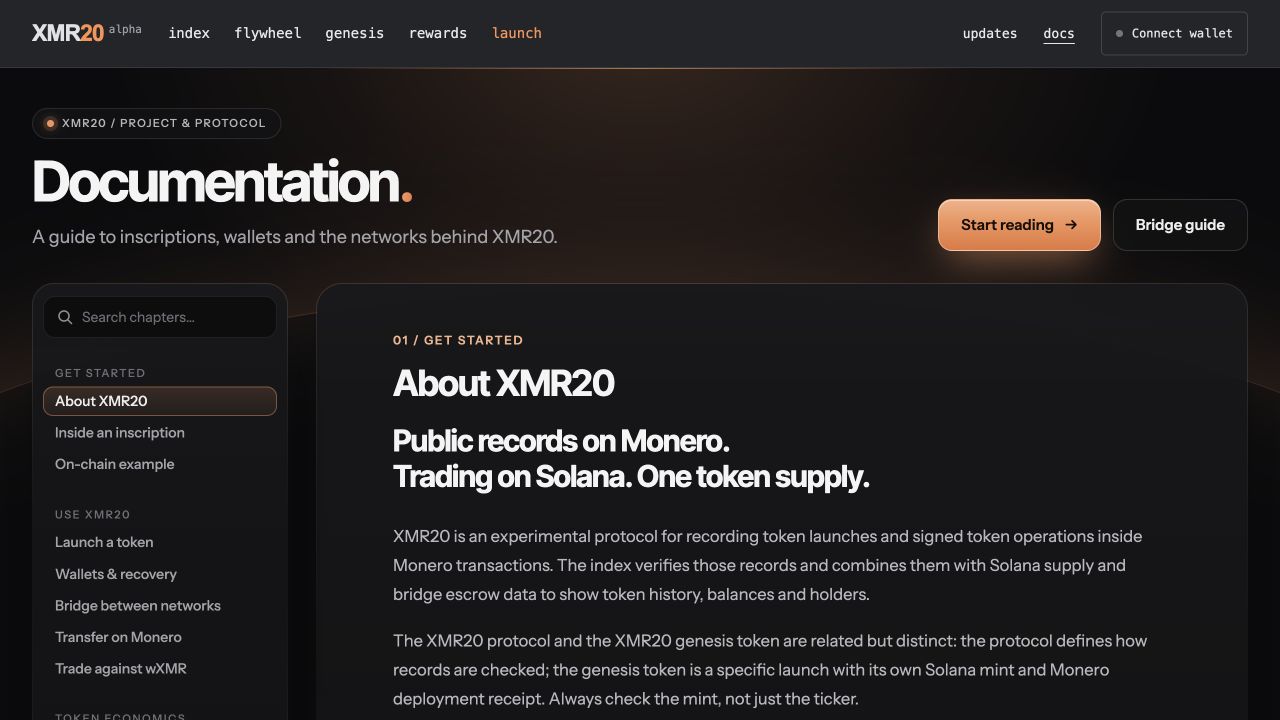
Captured from the live Docs page on 28 October. The same typography, warm accents and section-card styling carry through to Community Updates.
Documentation has a compact header, chapter search and a clear chapter menu, with a phone-friendly layout. It is easier to move between an overview, wallet information and the bridge guide without losing your place.
Community Updates has the same refreshed design. The archive keeps dates easy to browse, while each article has a contents rail that highlights the section being read. A reading-progress bar and clearer section cards help longer updates stay approachable. Motion respects the reader’s reduced-motion settings.
The homepage also gained rotating Genesis artwork, and Trending tokens now appear before Collections to make token discovery more immediate. Telegram and X links have been added across the main pages, giving readers a direct route back to the community.
What we checked
The design releases are recorded as live. Docs and Updates were checked at phone and desktop sizes, including navigation, reading progress and the existing interactive privacy example. The two shared Updates design files match the live versions, so this edition keeps the design already introduced by the redesign.
Pick up where your wallet left off
27–28 October
We have also worked on the small interactions that make a wallet easier to use repeatedly. Saved scan progress lets the website and extension resume from earlier work when reopened, while Monero and XMR20 token synchronization are brought together in the wallet experience.
Once an encrypted wallet copy has been saved with approval, later website synchronization can unlock it through an approval in the connected Solana wallet. That makes returning to the wallet more convenient while keeping recovery and wallet access under the user’s control.
The extension tester package has also been updated with the new private-address display and the streamlined Monero token screen. The website and extension now share more of the same token controls, so moving between them feels familiar.
What we checked
Dedicated test-account checks passed for resuming synchronization after interruption, saving the encrypted wallet copy and unlocking it again with an approval. The latest installed tester extension is 0.1.117; its recorded upgrade checks preserved stored accounts and verified synchronization and token display. The recorded unit suite passed 573 tests. The tester package is a development distribution, not a Chrome Web Store release.
Build your own XMR20 wallet
28 October
We have opened xmr20-wallets on GitHub: a dedicated home for the shared wallet engine, Chrome extension, website wallet and CLI. The source, build instructions and tests are available for public review, so developers can inspect how the wallet works, build it themselves and adapt it for their own applications.
You do not have to use our wallet interface to hold and transfer XMR20 tokens. Developers can use the shared engine to build their own compatible wallets or add XMR20 support to an existing wallet, including Open and Private token balances on native Monero. This gives the community a foundation for more wallet choices while keeping control with the user.
The initial wallet source is available in the repository’s open review pull requests, linked below. It is a starting point for developers to build and test XMR20 integrations; the wallet software remains in beta.
What we checked
The public repository and review branches include the shared engine, extension, website wallet and CLI, with build instructions, tests and an MIT license. The initial source is in open pull requests at the time of this update.
Evidence & release status
This edition covers work since Edition 08, recorded on 27–28 October. Private transfers are enabled in beta and the new website wallet is live. Beta status means this is an early release under active testing. Evidence includes production-release checks, test-account interface and synchronization checks, and a recorded Make private operation. Moving into a Private balance is distinct from completing a private send to another recipient. Privacy applies to transfers within the private pool; entry and exit amounts remain public. Extension installation refers to the development/tester package. The screenshots show public website screens without connected wallet data.
| Workstream | Recorded state |
|---|---|
| Private-transfer beta | Enabled · beta |
| Website wallet | Live on xmr20.org |
| Website design | Live across the site |
| Everyday wallet use | Website live · tester extension updated |
| Build your own wallet | Public source · beta |
What comes next
Private transfers in beta, a new wallet on the website and a more consistent interface bring the recent work into one experience. We will keep refining how people hold, send and use XMR20 tokens on native Monero, and share the next verified milestones here.
Back to all updates